 ConvCalc App Store
The best calculator apps for iPhone in 2027
We looked for a calculator that's pleasant to use every day. Our pick is ConvCalc, and we should say up front that we built it.
Download free on the App StoreHow they compare
| App | Price | Rating | Our take |
|---|---|---|---|
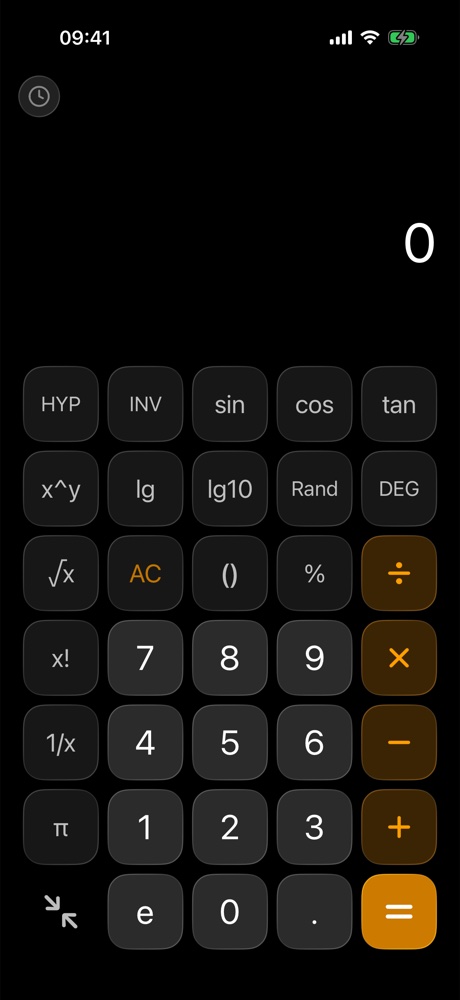
| ConvCalc | Free | 4.8 (5) | Our pick for design. Scientific keys, reusable history, currency and 19 more tools, with no ads. |
| Apple Calculator | Built in | Not listed | Comes with iOS. Since iOS 18 it includes a history, unit conversion and Math Notes, so it's a good place to start. |
| PCalc | $9.99 | 4.7 (779) | The power user's choice. Its listing includes optional RPN, a paper tape, multiple button layouts, hex, octal and binary, and an Apple Watch app. |
| Calcbot 2 | Free | 4.7 (11,107) | A long-running calculator from Tapbots. Its listing includes a history tape, an expression view, scientific functions, and unit and currency conversion. |
| Calculator₊ | Free | 4.7 (1.7M) | The most rated app here. Its listing covers scientific, history, unit and currency tools, and advertises a premium tier that's free of full-screen ads. |
| Tydlig | $1.99 | 4.8 (2,631) | A different idea: a freeform canvas with linked numbers and live results, plus graphing. Its last App Store update was in 2017. |
Why we pick ConvCalc
This part is our opinion: most calculators are either plain or crowded. ConvCalc puts everything behind clean, tactile keys, with a scientific keypad that opens with one tap, a history you can reuse, and 20 tools for units, currency and everyday math. It's also young, with only a handful of App Store ratings so far, so it hasn't earned the track record of some apps on this list.