 ConvCalc App Store
The best scientific calculator apps for iPhone in 2027
If you need trig and logs on your phone, these are the options we'd look at. We built ConvCalc, and PCalc is the one to get for programming and RPN.
Download free on the App StoreHow they compare
| App | Price | Rating | Our take |
|---|---|---|---|
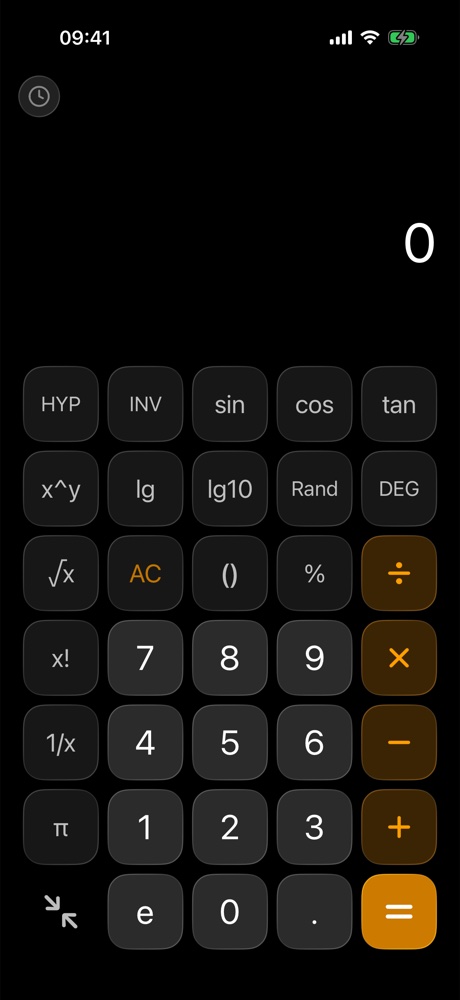
| ConvCalc | Free | 4.8 (5) | Our pick for everyday scientific use. Trig, inverse and hyperbolic functions, logs and factorials behind a keypad you can hide, with no ads. |
| PCalc | $9.99 | 4.7 (779) | The power user's choice. Its listing includes optional RPN, a paper tape, multiple button layouts, hex, octal and binary, and an Apple Watch app. |
| Desmos Scientific Calculator | Free | 4.3 (336) | A free, focused scientific calculator from Desmos, with trigonometry, statistics, combinatorics and your own functions. |
| Calcbot 2 | Free | 4.7 (11,107) | A long-running calculator from Tapbots. Its listing includes a history tape, an expression view, scientific functions, and unit and currency conversion. |
| Apple Calculator | Built in | Not listed | Built into iOS, with a scientific mode and history. Worth trying before you download anything. |
Why we pick ConvCalc
This part is our opinion: most calculators are either plain or crowded. ConvCalc puts everything behind clean, tactile keys, with a scientific keypad that opens with one tap, a history you can reuse, and 20 tools for units, currency and everyday math. It's also young, with only a handful of App Store ratings so far, so it hasn't earned the track record of some apps on this list.